Your version of a wall
Once a wall has opened, you can make your own way through it: three to seven squares in the order you would show them, with a line for each if you like. Anyone with the wall's link can play it, and nothing on the wall changes.
Starting one
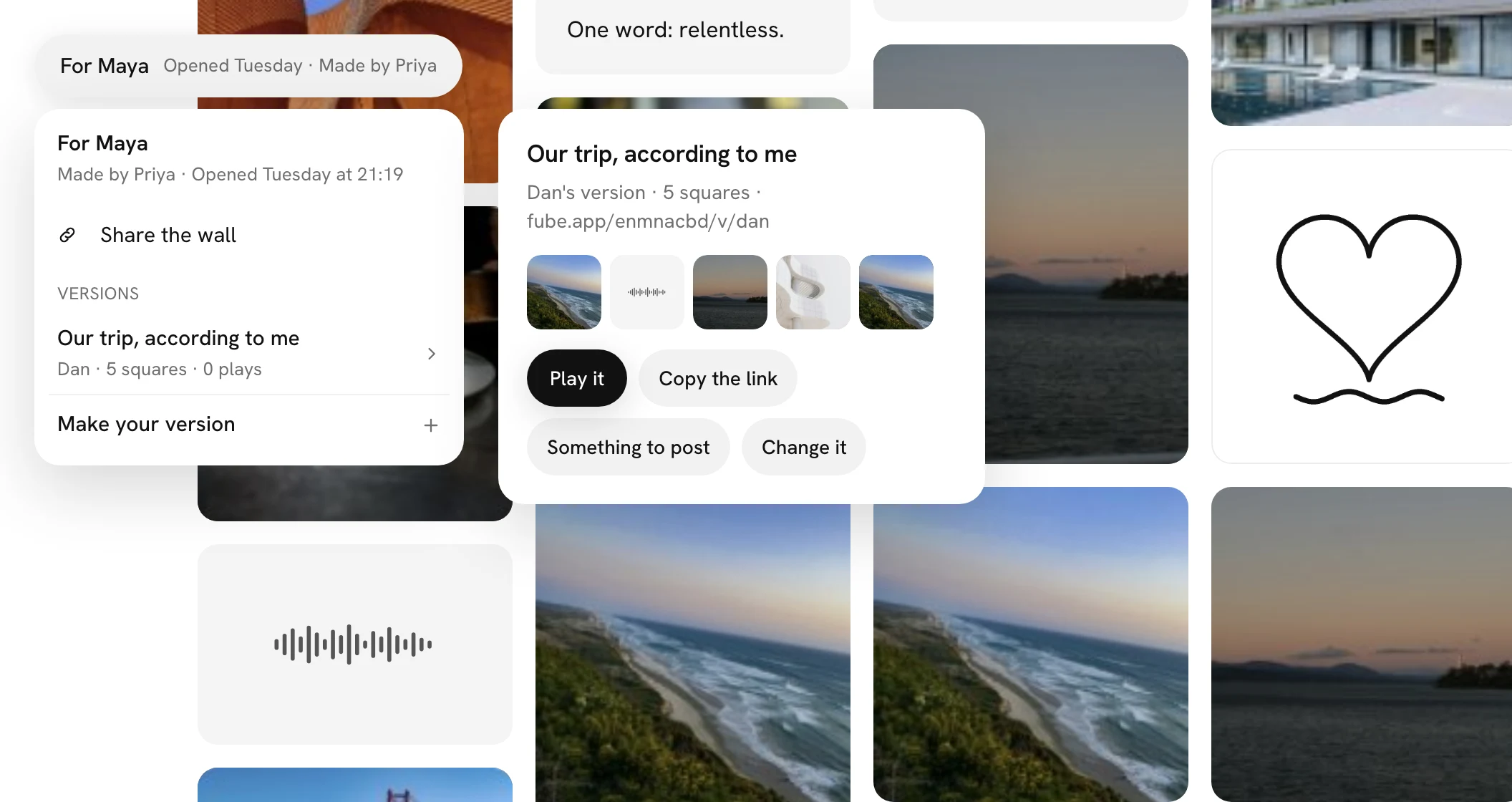
Press the wall's name at the top left, then Make your version at the foot of its card. Or open a square and press Version, beside or under its name, and it is your first. You need to be signed in; if you are not, Fube asks you to, then brings you back to pick.
Picking the squares
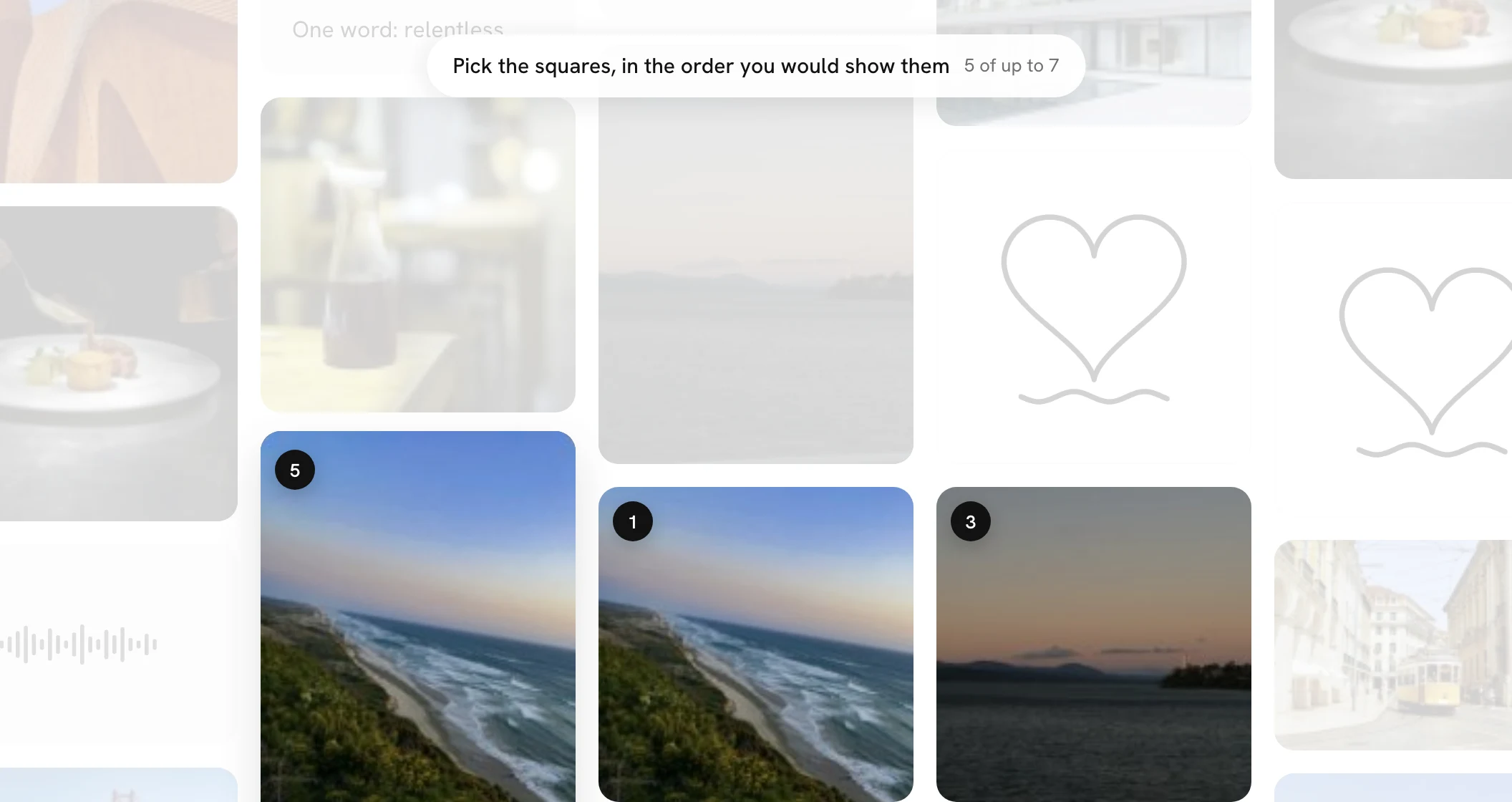
The wall dims and the top reads Pick the squares, in the order you would show them. Tap a square and it gets a black number; tap it again to take it out, and the rest number themselves again. The count beside it says how many, up to seven. When you have three or more, press Next: say why.
Its name and lines
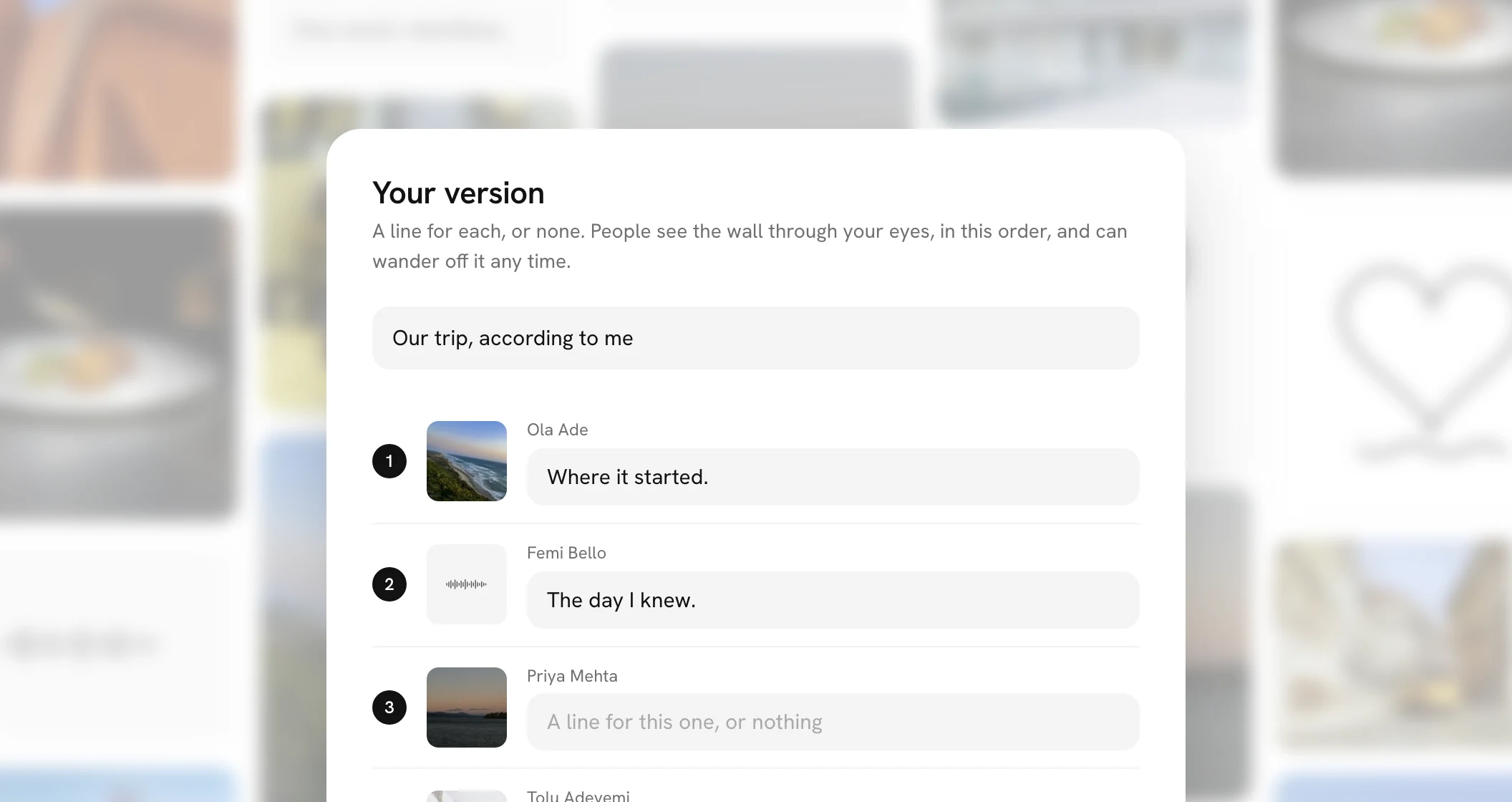
The card that opens, Your version, has its name ready as your first name's version; call it anything up to 60 characters. Under it is each square you picked, in order, with a field for a line of up to 120 characters. Every line is optional. The cross takes you back to picking, with your order kept. Make it, and it gets its own link: fube.app, the wall's code, then v and your name.
Sharing and playing it
Your version's card has Play it and Copy the link, and for you, Something to post and Change it. Every version on the wall is listed under Versions in the wall's card, for anyone with the link, the person it is for included.
Played, the wall glides to each square in turn, a little closer in, and brings it forward, with your line under it. Tap the wall, or press Space or the right arrow, for the next; the left arrow goes back. Drag to look around on your own and Rejoin takes you back to the path. At the end, Replay or Back to the wall.
Only yours to change
Only you can change or remove it: Change it reopens the picking and the lines with the same link, and the lines card then has Remove it. Only you see how many times it has been played to the end, not counting your own. Nobody is told you made one.
If a square in it is removed from the wall, it drops out. A version left with fewer than three is hidden from everyone but you, and Activity tells you, so you can pick another.