Sound on the wall
A wall can make a few quiet sounds as you move around it: soft, close and physical, like paper and fingertips, never like an alert. They're off until you turn them on.
Turning it on
At the bottom right of a wall there's a pill that says Sound off. Press it and it reads Sound on. Press it again to turn sound off.
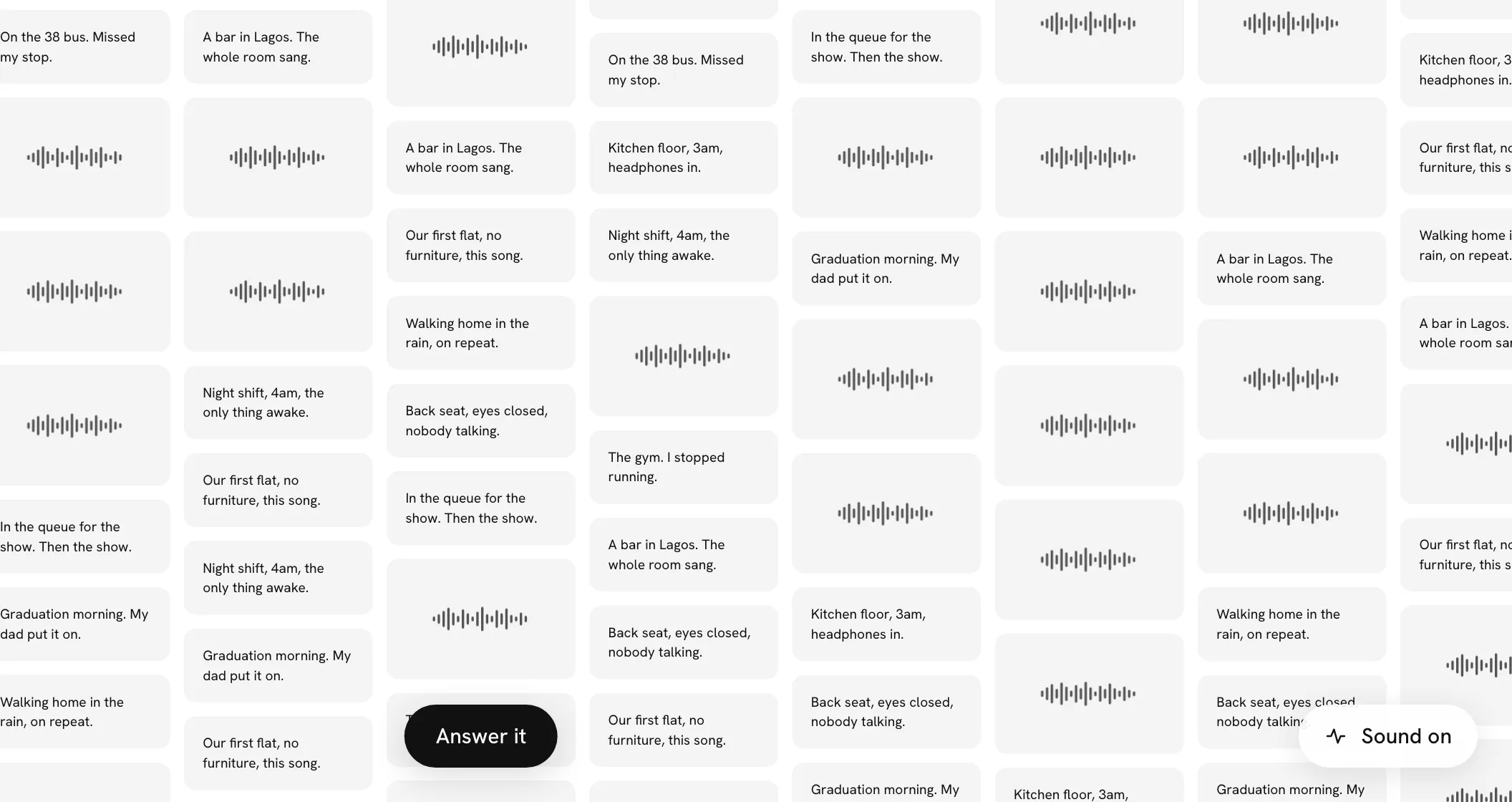
On a phone it's a small round button with a wave on it, in the same corner. When Add yours sits at the bottom right, the button sits just above it.
Your choice is remembered in this browser on this device, so every wall you open here starts the way you left it. Nothing plays until you press or tap something on the page, even with sound on.
What you hear
Paper. When the wall turns over at the reveal, each square makes the sound of a sheet turning. When someone adds a square while you're watching, it makes a soft sound as it lands where you can see it. Each one comes from where its square is on the screen, from the left or the right.
A tick. Opening a square makes one small wooden tap. On a phone that can, it also gives one light buzz. Closing a square makes no sound.
A brush. As you drag the wall, flick it or zoom it, a soft brushing follows your hand, like a fingertip over paper. The faster you move, the louder and brighter it gets, and it comes from the side the wall is moving to. It goes quiet a moment after the wall stops. When the wall drifts on its own after you've left it alone, it makes no sound.
Near and far. Zoom in and the sounds come closer, fuller and drier, as if right by your ear. Zoom out and they sound thinner and further away.
Voices as you pass
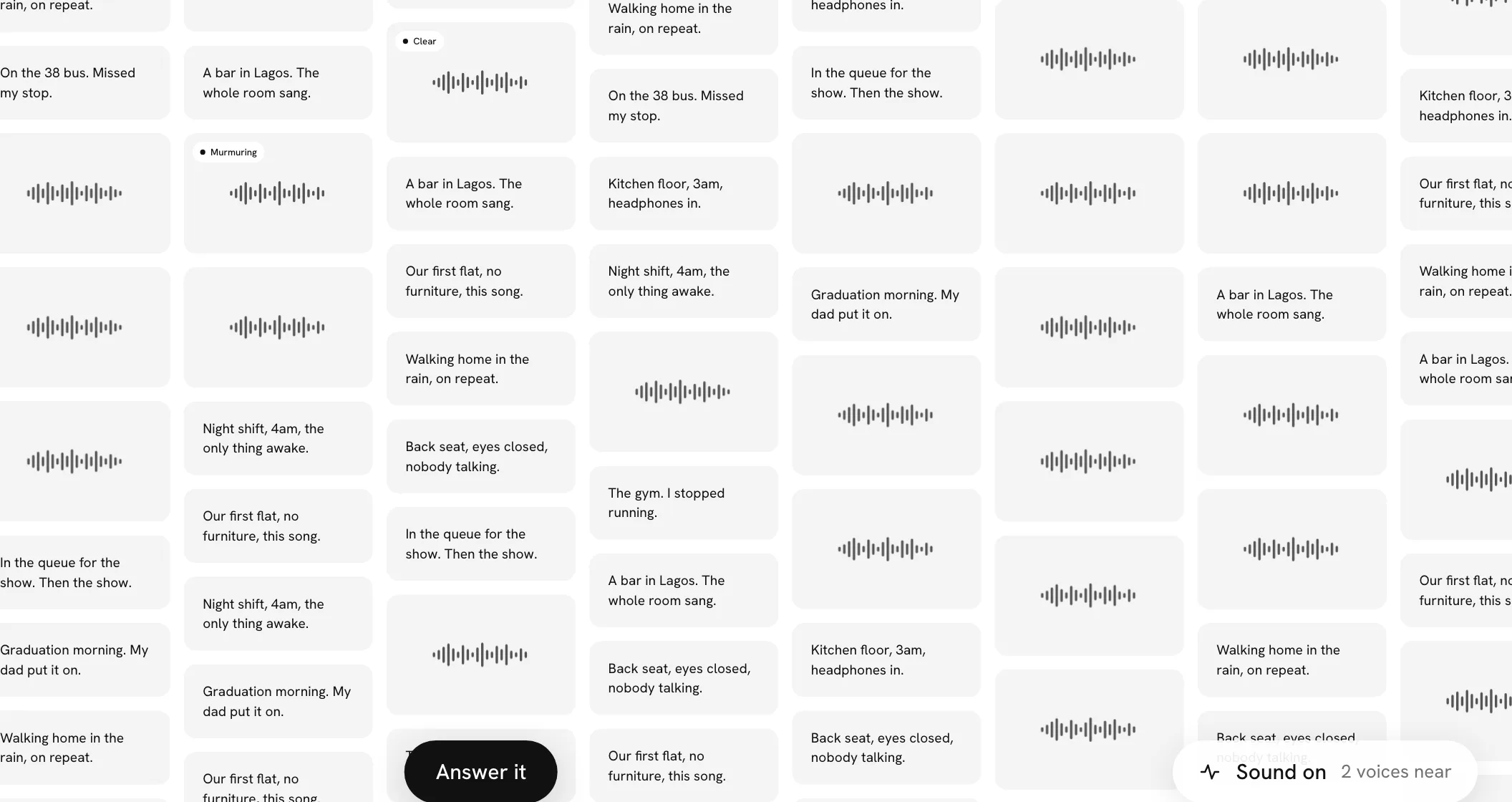
Once a wall has opened, its voice notes can be heard before you open them. Move toward one and it starts to murmur from the beginning, softly. The closer it comes to the middle of your screen, the clearer it gets, and it fades as you move on. You hear two at most, the nearer one louder.
While you can hear one, it shows a small pill at its top left: Murmuring while it's soft, Clear once you're close. Next to Sound on, the pill counts them, such as 2 voices near. On a phone the round button widens to say 1 near, then goes back to a circle.
Open a voice note and it plays in full, on its own, and the others go quiet. Each note plays once as you pass: stay by it and it finishes and stays quiet, and if you move away and come back, it starts again from the beginning.
When it stays quiet
While a voice note, video or song is playing, the wall makes no sound of its own, so nothing talks over anyone. Voice notes don't murmur before a wall has opened, while a square is open or you're adding yours. Hovering, pressing pills, typing, the countdown before a wall opens, replies and notifications never make a sound. Neither does a wall on the big screen.
The pill goes while a square is open or you're adding yours, and comes back after.