Making a wall in three minutes
A wall is one place where everyone you invite leaves one thing for one person. You make it in three short steps, and the link works the moment you are done.
First, when people see it
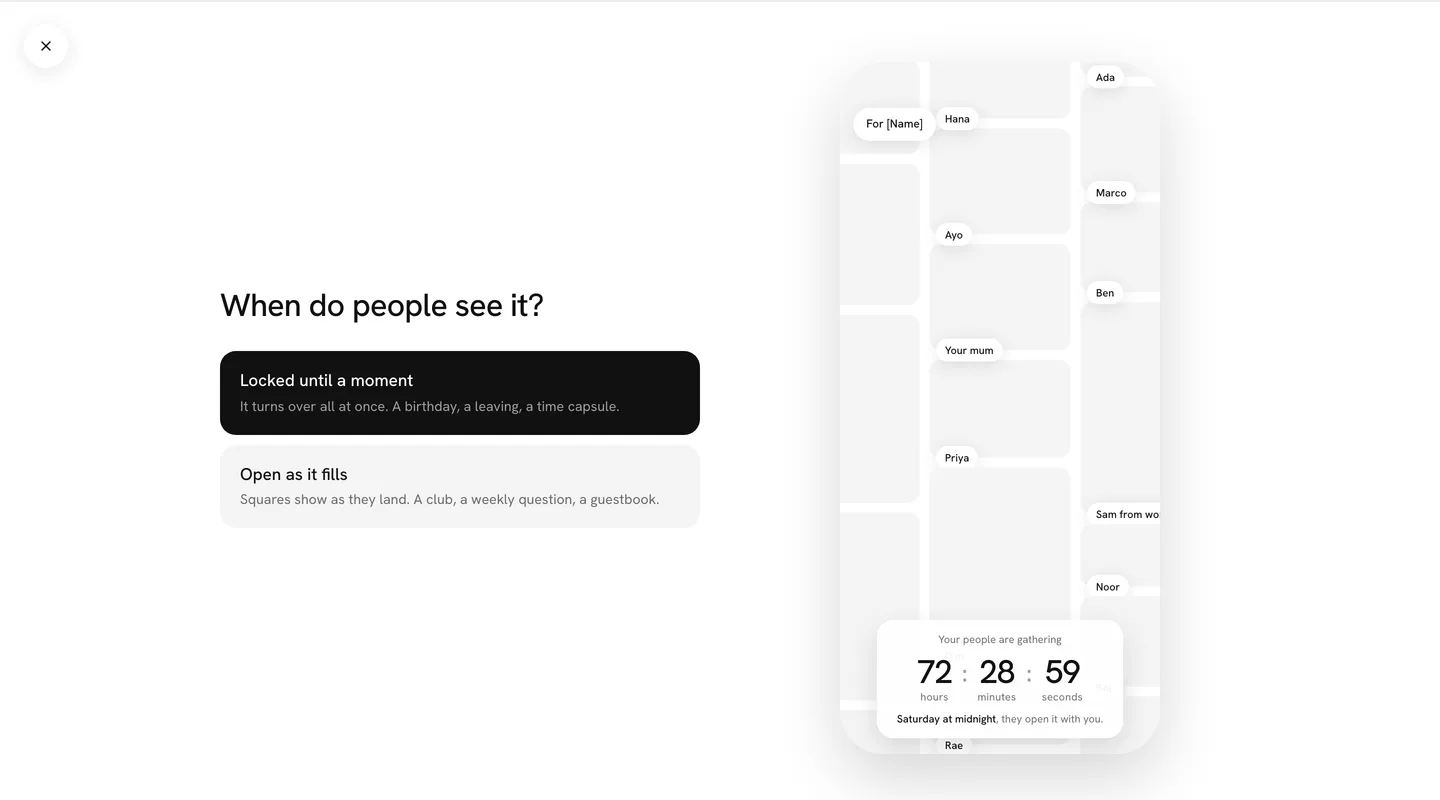
Press Make a wall, or New wall on Home. The first question is the one real choice. Locked until a moment: the squares stay face down with names on them until the time you pick, then turn over all at once. Open as it fills: every square shows the moment it lands, and there is no reveal. For a birthday or a leaving, choose locked.
Who it is for
Choose Someone, Me or All of us, then type their name the way their friends say it: Maya, not Maya Okafor. Pick the occasion: a birthday, a leaving, a new baby, or Add yours to say it in your own words. The name goes on the wall, on the link preview and on the day itself.
How people answer
Everyone adds a square: a line, a photo, a voice note, a ten-second video, a drawing or a song. Pick one way for everyone, or tap more to let people choose. Nobody needs an account or an app to add.
When it opens
Pick the time: midnight on the day, a time of your own, or right away. You can change it at any point before it opens.
The link
Press Make the wall and you get its link. Send the link puts it into a message; Copy puts it on your clipboard. Paste it into the group chat. The preview shows the wall itself, so people see something already happening, not an empty form.
The person it is for gets a different link, their own, which keeps the wall face down until the time. You send that one on the day. Your page for the wall shows who has added, who has not, and a Nudge for each of them.