Your name and handle
The first time you add from a device, the black Your name pill beside Add it pulses until you press it. It opens a small card that asks two things: your name and your handle. Only the name is needed, and Add it waits for it; the handle field says Optional. Here is where each one shows.
Your name
Your name goes on the wall with your square. Before the wall opens, the person it is for sees it on the face-down square, so they know you are there. After, everyone with the link sees it when they open your square. Write it the way they know you: Dan, or Auntie Bisi.
Your handle
The handle is your name on Instagram, TikTok or X, if you want the person to be able to reach you. As you type it, the card checks it and shows a tick with the network's name when it finds you.
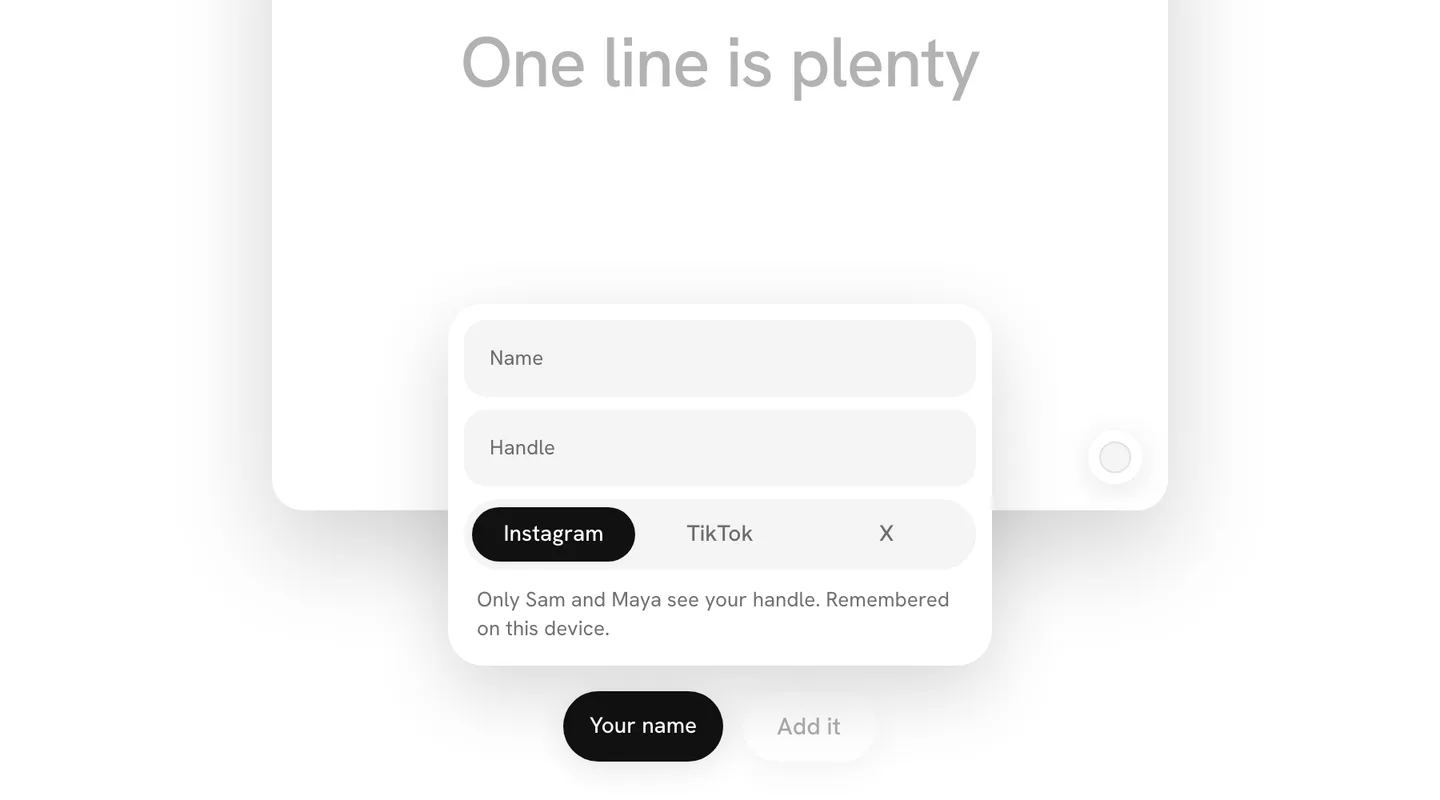
On a wall for someone, only the person it is for and the person who made the wall see your handle, so they can reach you. On a wall someone made for themselves, or for everyone to open together, only the person who made it does; on a memorial wall, the family. On a question wall, only the person who asked sees it, with a link to your profile. The card says who, before you send.
Remembered on this device
Your name and handle are kept on the device you used, so the next wall you add to there already knows you. Another device asks again. Nothing is shared between walls except on that device.
What never shows
Your email, if you left one to keep track, is never on the wall. On a wall for someone it is never shown to anyone. On a question wall, the person who asked can see it in their list of everyone who answered. Nothing else you do on a wall is reported back to anyone, only the square itself and the moment it landed.